Empowering organizations with innovative, game-based eLearning solutions tailored to enhance workforce capabilities. Discover our comprehensive training modules designed for dynamic and effective learning experiences.
1
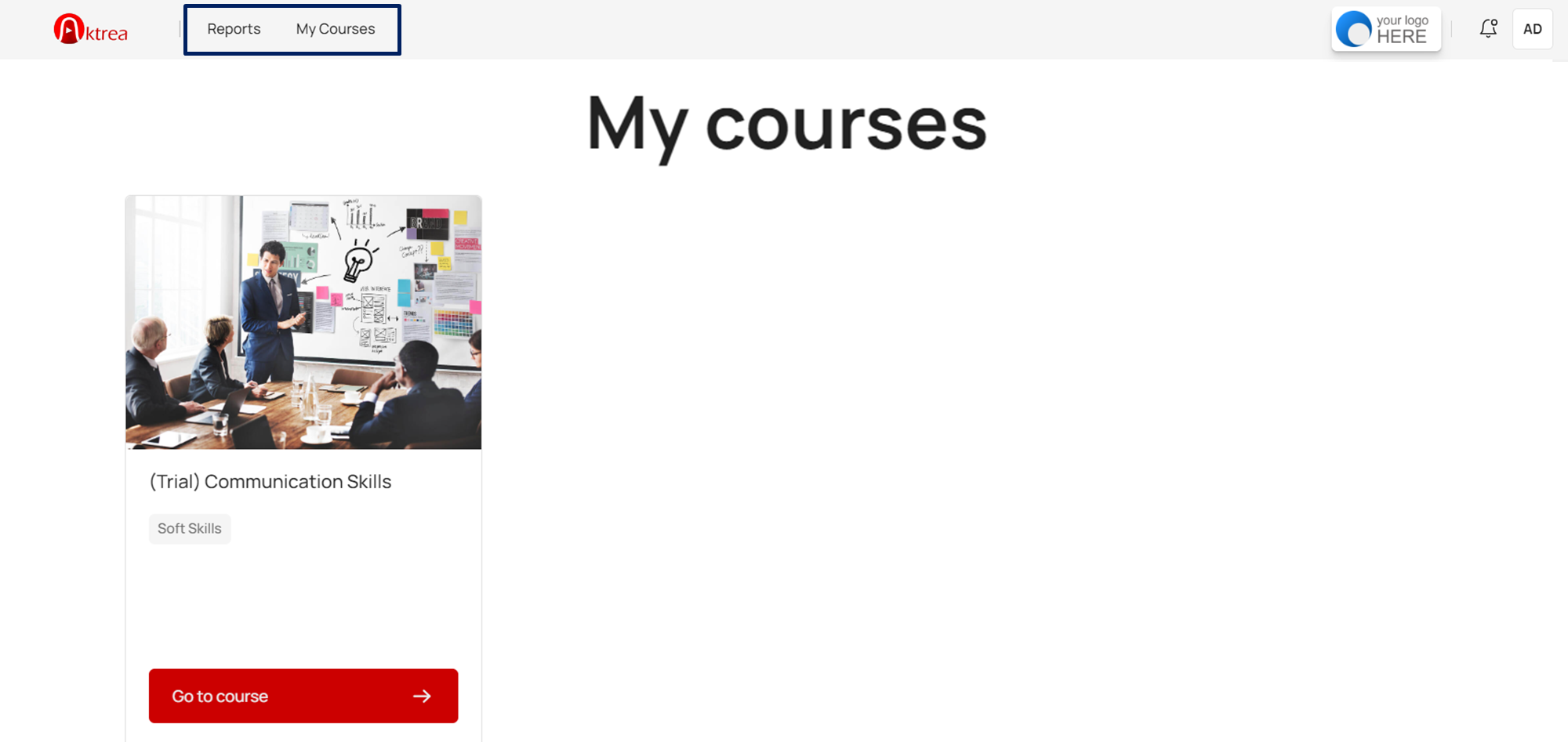
Reports & My Courses
Upon logging in, the header navigation provides access to features that help you manage courses and reports effectively.
- Reports: Track user progress, view course completion details, and download reports.
- My Courses: View courses and download user’s completion certificate.
1
Reports
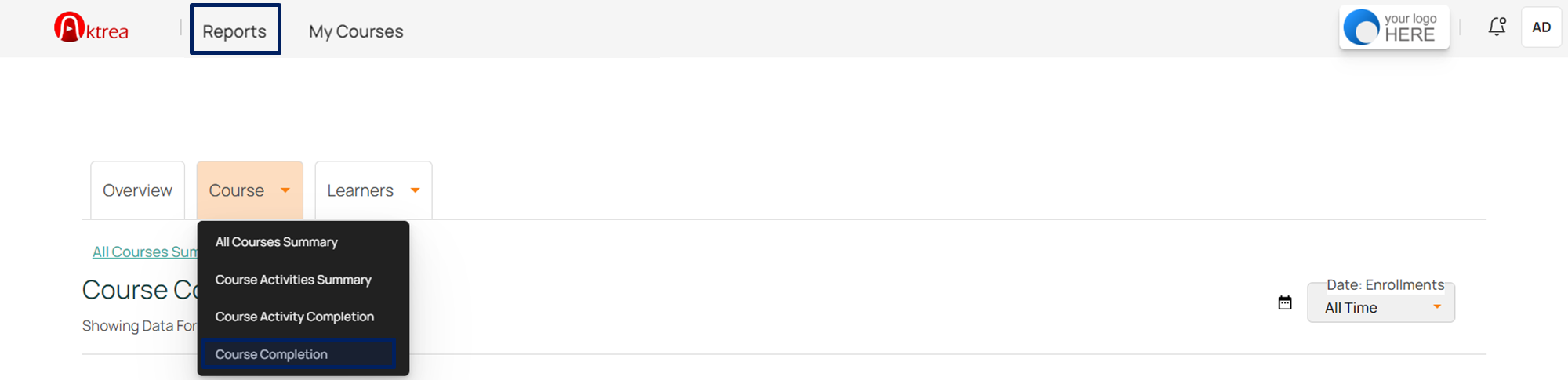
Tap on the Reports menu in the header to view participants’ course progress.
2
Course Completion
Click on the course and select “Course Completion.”
1
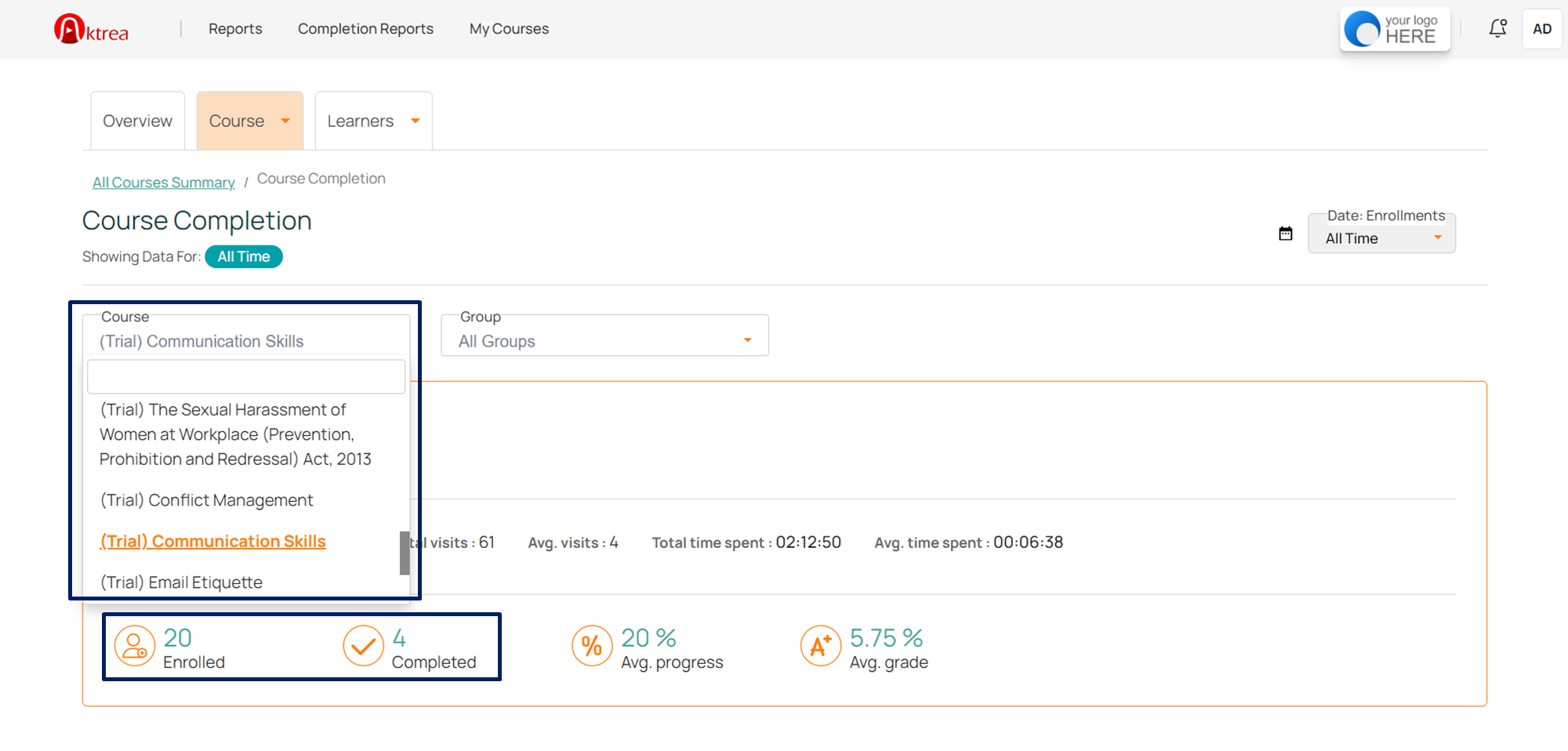
Select Course
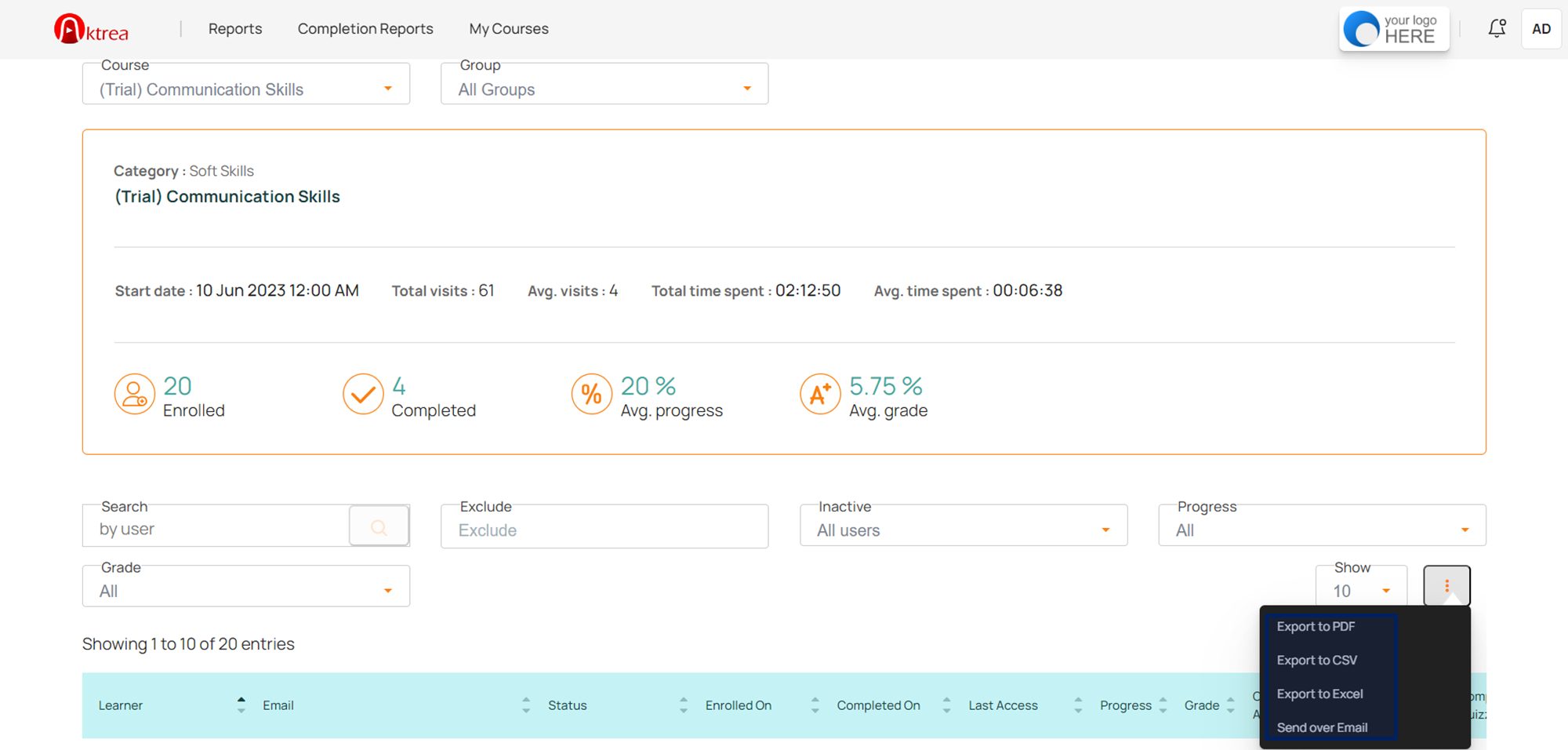
Select the course from the highlighted drop-down menu (if multiple courses are available).
2
Completion Stats
Number of enrolled and completed users for the selected course.
1
Download Report
Scroll down to download the completion report in the required format.
1
My Courses
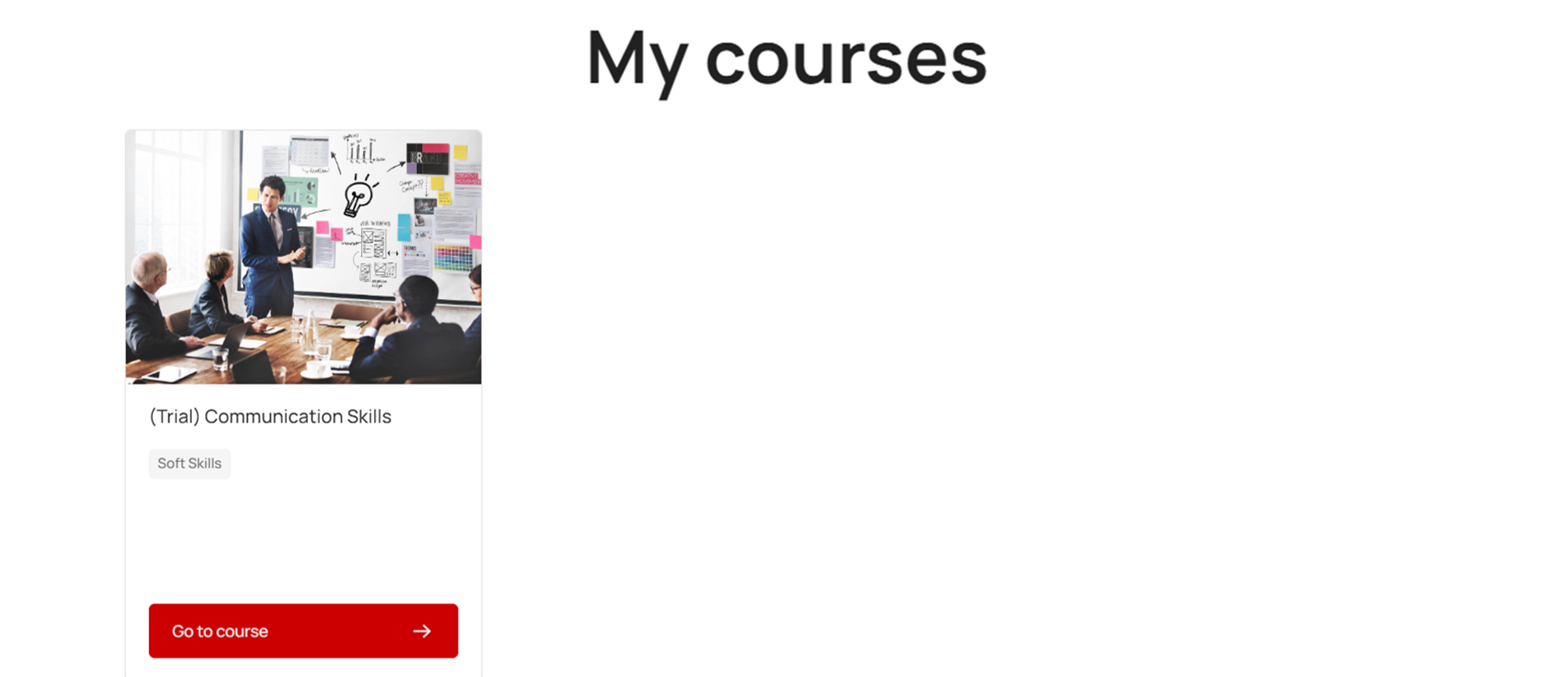
Upon clicking ‘My Courses,’ you will see all your assigned courses. Click on the required course to navigate to its course page.
1
Completion Certificate
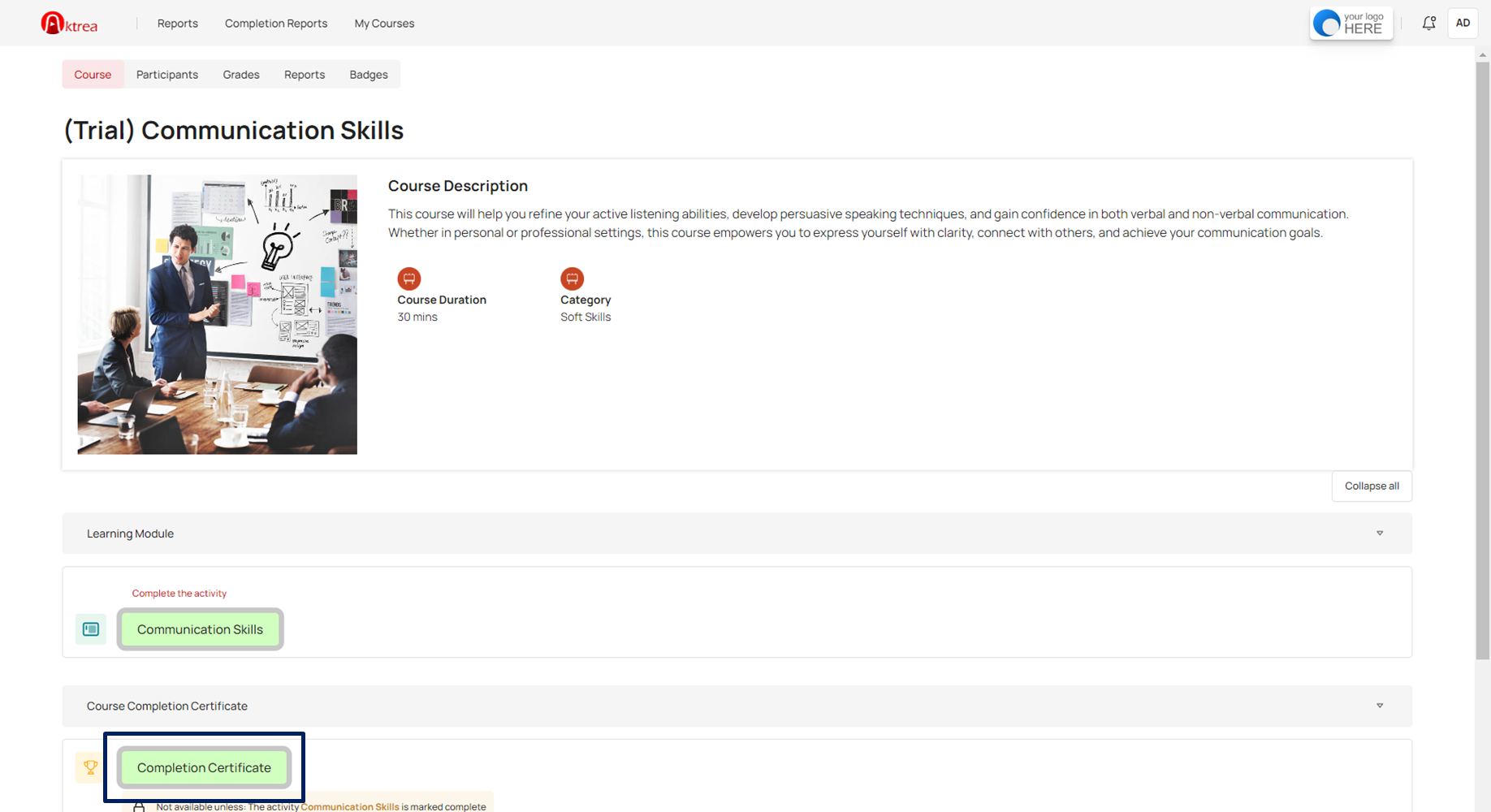
Click on the Completion Certificate located at the bottom.
1
Download Completion Certificate
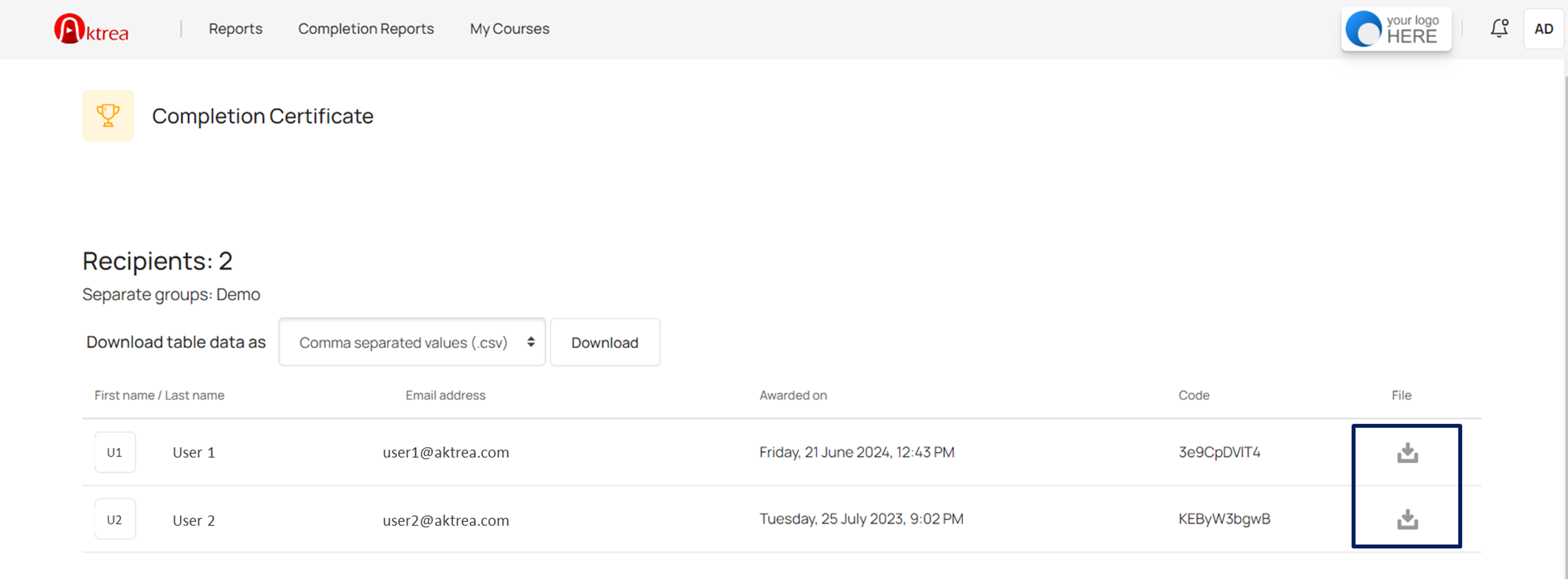
Click the icon to download the user’s completion certificate.